


Epson Transfer Belt: 5 Failures on WF-C17590/C20590
The WorkForce Enterprise C17590 and its siblings (C20590, C20600, C20750, M20590, M21000) are line-head inkjet machines built for the 75 to 100 ppm bracket. They print A3 without slowing down, and they hold color registration across a run better than most laser engines in the same price band.
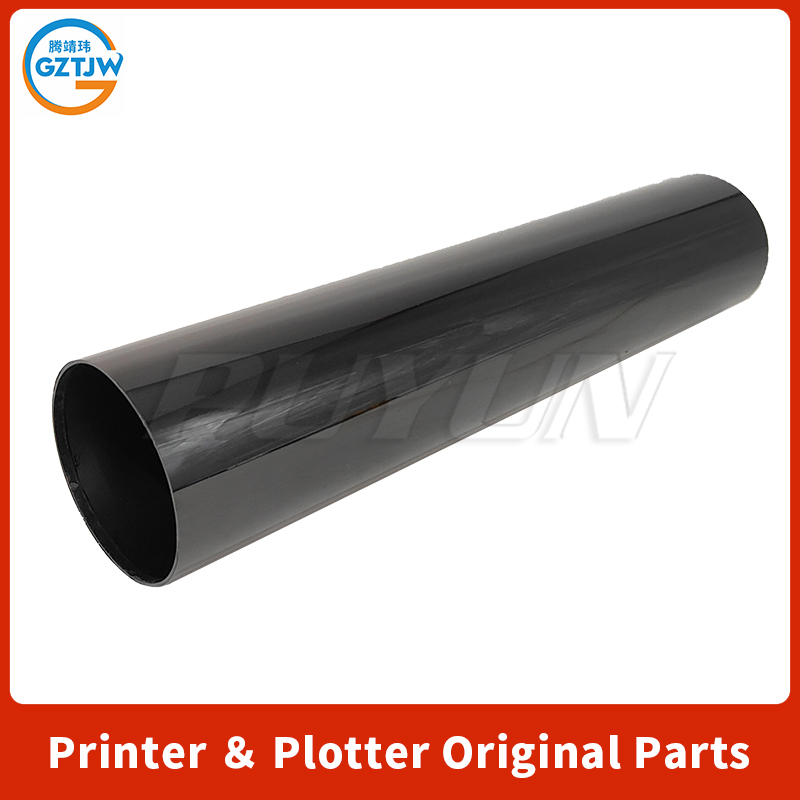
Almost all of that consistency depends on one consumable: the Epson transfer belt assembly.
It carries the image, hands it to the paper at secondary transfer, and reports its own speed back to the controller through an encoder. When the belt is healthy, nobody thinks about it. When it isn't, the machine tells you something. The message on the panel, though, is rarely the message you need.
Here are the five failure patterns that account for most of the calls in this machine family, and how to separate one from another.
Table of Contents
1. What the transfer belt actually does on this platform
2. Failure 1: The error that appears before a single page prints
3. Failure 2: Repeating marks at a fixed interval
4. Failure 3: Color misregistration, especially on the second side
5. Failure 4: The same pale patch on every sheet
6. Failure 5: Specks, scatter, and the high-voltage fault
7. Symptom-to-cause table
8. Five checks before you order a replacement
9. Handling rules that do not change
10. When the belt really is the problem
11. FAQ
12. Parts we stock for this machine family
What the transfer belt actually does on this platform
On this chassis the belt sits in a drawer assembly at the center of the engine. Four line heads write directly onto the belt surface, the belt carries the combined image forward, and secondary transfer presses it into the paper. A motor drives the belt, and an encoder watches the belt move.
That single sentence explains three of the five failures below. If the controller cannot confirm belt speed or position, it will not print, no matter how good the image on the belt looks.
Failure 1: The error that appears before a single page prints
This is the most expensive mistake in the whole category, and it costs nothing but a screwdriver to avoid.
A technician installs a new belt unit. The panel throws a belt-related fault with a numeric code before the machine has printed a single sheet. Codes 301 and 304 are the ones I hear about most often in that exact scenario. The natural conclusion is a dead part out of the box. The part goes back, a replacement is ordered, and the same thing happens again with the next unit.
Check the seat first. A belt that looks installed can still sit a millimetre or two short of its home position, and the encoder reads that gap exactly like a stalled belt.
Epson's own supplemental troubleshooting guide for this family documents error 034212, Belt Motor Encoder Sensor Abnormal Detection, and adds a line worth reading twice: some reports indicate removal and reinstall has corrected the issue. That is not a note about defective parts. That is a note about seating.
Two mechanical causes are worth checking in order:
- **Frame interference.** In parts-supplier circles there are reports of aftermarket units whose frame tabs foul extra internal structures on certain machine variants, stopping the unit a couple of millimetres short. I have seen one confirmed case of this, on a C17590 series machine, so treat it as a hypothesis to test rather than a general rule. Look for fresh scrape or pressure marks in the belt bay. Fresh scrape marks tell you immediately that the unit is meeting something it shouldn't.
- **Connectors and shipping.** A machine that was moved will sometimes present the same fault because the belt motor connector worked loose in transit. Reseat the unit, check the connector, power cycle.
One more install-day cause deserves its own line: the tension release rod. New units ship with a rod held by a yellow-ring tab inserted into the assembly. You insert the unit first, then pull the tag to withdraw the rod. Leave it in and the belt runs with the wrong tension. The panel reports that as a belt fault, not as a technician error.
Failure 2: Repeating marks at a fixed interval
If a mark repeats down the page at a constant distance, measure that distance before touching anything. The interval identifies the rotating component responsible, because each one has its own circumference.
On this platform:
- A repeat interval matching the belt will usually come from surface damage or contamination: an embedded fibre, a toner film baked onto the surface, or a damaged seam.
- A markedly shorter interval generally belongs to a photoconductor or a roller, not the belt. Replacing the belt in that case fixes nothing and costs a week of downtime.
Try a dry, lint-free wipe on the affected area before condemning the unit. Never use solvents, and never scrub. The surface is a coated film, and any scratch you create prints on every sheet afterwards.
Failure 3: Color misregistration, especially on the second side
Registration drift on duplex work is the classic slow failure. Nothing fails outright; the output just stops being acceptable for anything with a colour logo on it.
Three causes, in rough order of frequency: a belt whose surface has polished and no longer releases toner evenly, a dirty or failing encoder window, and registration sensors that need cleaning. Before replacing anything, run the machine's own colour registration adjustment. It costs nothing and occasionally solves the problem outright. If the fault returns within a day or two, you are looking at hardware, not calibration.
Failure 4: The same pale patch on every sheet
A soft, low-density band that appears in the same position on every page, often around the width of the secondary transfer roller contact, is a worn spot rather than an electronics fault. It shows up fastest on machines running heavy colour coverage or coated stock, both of which wear that contact line harder than plain paper does.
Uniform faintness across the whole page is a different problem entirely: check ink supply and head maintenance before you think about the belt.
Failure 5: Specks, scatter, and the high-voltage fault
Toner scatter, stray specks and a drop in density can all come from a belt surface that has stopped holding charge correctly. But there is a specific Epson note in this territory that is easy to miss.
The same supplemental troubleshooting guide documents error 034209, High Voltage Power Supply Failure. The guidance lists cable connections to the high-voltage board as the first check, notes that the error may also produce 206601, that it is likely to appear only when printing, and, most importantly, that it may also be caused by ink on the belt drawer unit.
Epson's recommendation for that case is firmware GA12H7 or later, followed by cleaning the belt drawer unit as described in section 8.1.2.2 of the service manual.
Read that as a sequence: clean the drawer before you buy a belt. A belt replaced over a contaminated drawer will present the same symptom within weeks.
Symptom-to-cause table
| What you see | Most likely cause | First action |
|---|---|---|
| Belt fault immediately after installation, machine never printed | Unit not fully seated, connector not home, tension rod still in | Pull and reseat, look for scrape marks, check belt motor connector, withdraw the rod |
| Fault after moving or shipping the machine | Loose connector | Reseat unit and connector, power cycle |
| Fault appears randomly during long runs | Encoder window dust, belt motor, or Epson note 034212 | Power cycle, clean encoder window, escalate to service if it returns |
| Same fault on the old belt as well | Printer-side fault, not the part | Stop ordering belts; check motor, sensor, high-voltage board |
| Repeating marks at belt circumference interval | Surface damage, debris, seam | Inspect under good light, attempt dry clean, replace if damaged |
| Colour misregistration on duplex work | Polished surface, dirty encoder, registration sensors | Run colour registration adjustment, clean sensors |
| Pale band in the same place every page | Worn spot at secondary transfer contact | Replace unit |
| Specks, scatter, plus 034209 or 206601 | Contamination, high-voltage issue | Clean belt drawer, update firmware to GA12H7+, check HV connectors |
Five checks before you order a replacement
1. Put the old belt back in. If the fault follows the machine rather than the part, you have just saved the price of a belt and a week of shipping.
2. Reseat and power cycle. Epson's own note treats remove-and-reinstall as a legitimate correction for 034212.
3. Inspect the encoder and the belt motor connector. Dust in the window and a half-seated plug both produce the same panel message.
4. Check firmware. If you are seeing 034209 or 206601, GA12H7 or later is part of the documented fix.
5. Verify the part number against your machine, not against the listing title. This family shares a chassis across six model names, and listings are written for search engines, not for fitment.
Handling rules that do not change
Whatever you buy, the installation rules come from Epson's user guide for this family and they are not optional:
- Power the machine off, open the front cover, and detach the waste toner collector. Handle it level so you do not spill toner.
- Hold the unit by its handle. Do not touch the belt surface.
- Insert until the slides on top sit on the guide rails, all the way in, before removing the tension release rod.
- Keep the unit out of direct sunlight and away from dust while it is out of the machine.
- Dispose of the old unit properly; the waste toner inside is not household waste.
When the belt really is the problem
Not every fault is a seat or a sensor. Genuine belt failures exist and they look specific: a torn seam, a cracked or frayed edge, pinholes that print as white dots, or a failed unit chip that makes the machine refuse to recognise a perfectly good belt. In those cases replacement is the answer, and I would not pretend otherwise.
What I would push back on is the volume claim. Rated-life figures for this family circulate around 200,000 pages. Field reports from heavy colour offices land well below that, and the gap widens with coated stock, high-coverage jobs and frequent cold starts. Buy on fitment and consistency of supply first. Page-count promises are a marketing number until your own meter proves otherwise, and that applies to any Epson transfer belt quote you get, ours included.
FAQ
Is error 301 or 304 officially a belt code on these printers?
Not in public Epson documentation. The public job status table for this family assigns 301 to external memory storage and 304 to memory device removal. When the panel names the belt alongside those numbers right after an install, treat it as a service-level message and check seating first.
Can I keep printing with the fault showing?
Usually not. The machine has halted because it cannot confirm belt position. Forcing jobs risks belt and motor damage, and the fault will not clear itself.
Should I buy original, remanufactured, or compatible?
Original-grade if the machine runs high monthly volume and downtime is expensive. Remanufactured is reasonable below roughly 30,000 pages a month. The cheapest tier is where seam tears, pinholes and escalating jam rates come from, and the per-page maths on those usually works out worse, not better.
How long should the belt last?
Epson's rated figure for this family is around 200,000 pages. Real numbers depend on paper stock, coverage, humidity and how often the machine fully powers down. Track your own meter rather than trusting either number.
The new belt fixed the error but print quality is still off. What next?
Run colour registration adjustment, clean the registration sensors and the encoder window, and confirm the firmware is current. Mechanical seating is solved; what remains is calibration.
Parts we stock for this machine family
We build compatible transfer belts in Guangzhou and ship factory direct. Our transfer belt for the Epson WF-C17590, C20590, C20600 and C20750 series covers the colour chassis, and the paper transfer belt for the WF-M20590 covers the mono variant. The full transfer belt category lists HP, Canon, Kyocera and Brother stock as it rotates. Our six-month belt test on this same machine family records wear, registration drift and page counts with photos.
If your Epson transfer belt fault started right after an install, reseat first. If it started at 150,000 pages, the belt is probably done and the part is the cheaper conversation.
*A note on sourcing: the error code definitions and the remove-and-reinstall guidance quoted above come from Epson's Supplemental Troubleshooting guide for the WorkForce Enterprise WF-C17590 / WF-C20590 / WF-M20590, and the belt drawer cleaning reference from the same document. The frame-interference case is a single confirmed field report, not a general rule, so check your own machine before acting on it.*
No next


